
This is my little pool of Transputer software… while my main interest lies in the area of getting them run (and lots of ’em ;-)), you come to a certain point you actually want them to do something.
Don’t expect megabytes of software here… go over to Rams software section, he collected/rescued nearly everything which was available on the market.
Transputer network visualizer
I’m an “eye-person”, and looking at bigger ipsy or rspy network map files does not reveal the Transputer network topology at the first glance.
So I wrote a little tool, the “Transputer network visualizer” (TNV for short). It reads an ispy/rspy output file (extension “.OUT” was a random invention of mine) and tries to make visual sense out of it. So it starts with a Tree view.
Use the click & hold the right mouse-button to pan the view. Mouse-Wheel (or “+/-” keys) will zoom.
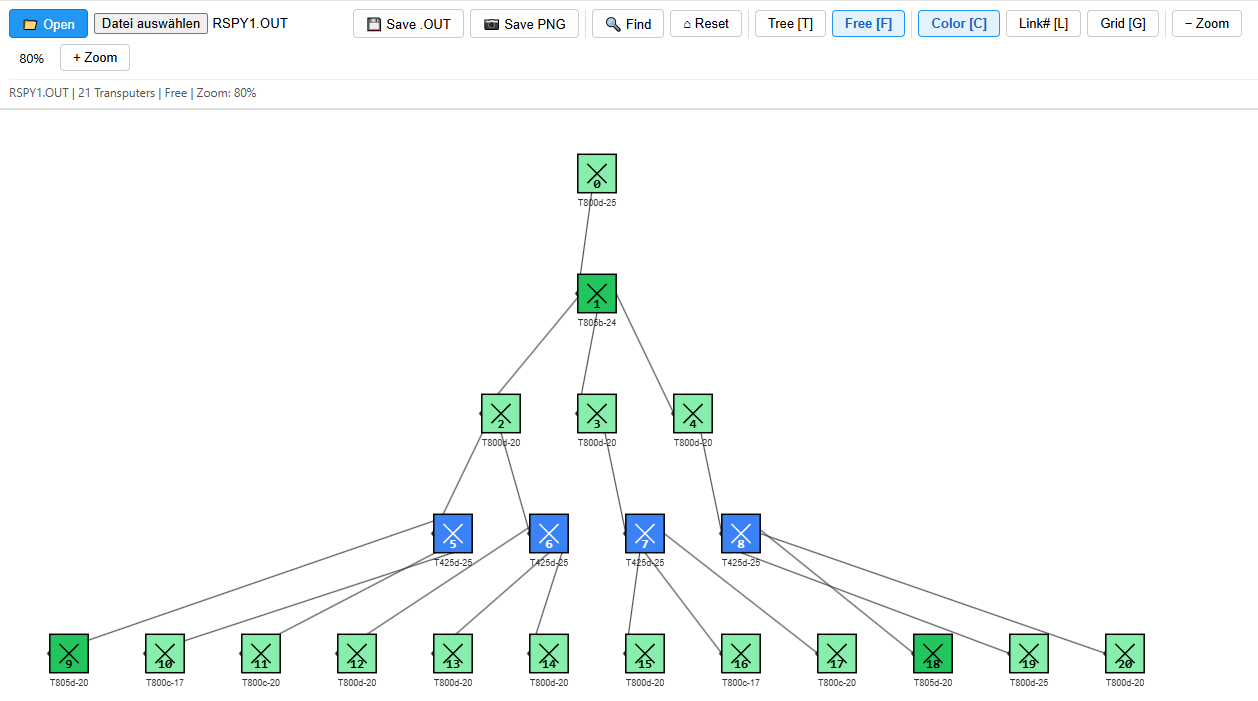
Because a tree view does not make sense all the time, think matrixes or torus’s… so you can switch to the Free view, in which you can move the Transputer nodes at will.
When you Save the .OUT file (which will do a simple download), the icon coordinates will be added to the .OUT file and will be used when you load the file later.
You can toggle these features:
- Colo(u)r will paint the Icons by type (T414, T425, T800, T805)
- Grid will enable a grid to make your sorting look tidier
- Link # will add the link numbers to the connecting lines
- and Reset will restore your mess to what the file(-design) looked at load time.
Just click here to start TNV in a new browser window.
iTest
This is a simple DOS tool I’ve written to scan a system for a link-interface (aka C011/012). Similarly to the standard tool ‘ispy’,itest just does a scan on a given port address (default is 0x150) and tries to identify a device behind it (16 or 32 bit Transputer, C004).
Depending on the result, a clear text info and a (DOS) error code is returned, which could be used in a batch file. A sample batch file for scanning the usual ports is included in the archive as well as the source (Turbo-C[++]).
PePo
“PePo” is my very, very simple DOS Peek/Poke Tool, to have a quick look into a Transputers RAM. Actually it can be used with any B004 compatible interface which supports the INMOS protocol.
So it also works fine with the NumberSmasher i860, which is the reason, why it insists on a 32bit alignment. It uses the Port Address of 0x150 by default. Define the environment variable “TRANSPUTER” to change this.
Usage is simple: Just call PePo with either “peek” or “poke” and an address you want to read/write from/to, so to read the first five 32bit lines in a Transputers external RAM enter:
pepo peek 80001000 5To write something to it enter
pepo poke 800010000 deadc0de
Inmos MMS2 archive
To make things easier configuring your C004 network, I prepared an archive for instant use.
It contains some example soft- and hardwire files, an ISERVER.EXE (the program you need to upload code into your Transputer) as well as a batch file to easily start MMS (RUN_MMS.BAT).
Also you will find a folder with INMOS’ pimped version of ANSI.SYS called BANSI (“Better ANSI”), because all INMOS tools make heavy use of ANSI screen control. So put that into your CONFIG.SYS.
Download the MMS2 archive here
The Transputer Tool Kit (TTK)
This is a collection I’ve put together, providing all essential tools to get you started with your brand new/old Transputer equipment. Read this post to learn more about its contents.
The Transputer SDK
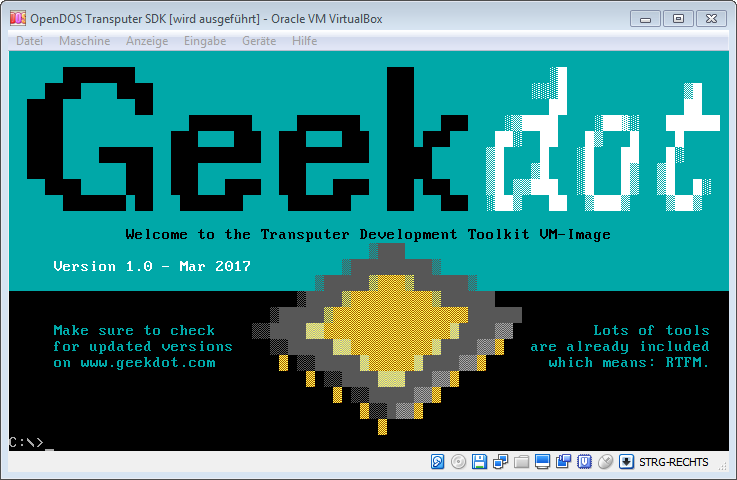
For a start, I’ve prepared an “Transputer SDK”, well, actually it’s a FreeDOS VM image for VirtualBox containing some of the most commonly used cross-compilers and Transputer software, so you don’t need a Transputer running to host a compiler:
- INMOS Occam
- version D7305 (more DOS oriented)
- and D7405 (comes with many cool optional Windows tools. Windows is not provided.)
- INMOS C (version D7414)
- LSC (versions of ’89 and ’91)
Documentation for all these compilers are available at the usual place.
AFAIK there’s no complete documentation of all additional features of the D7405 package – a 28 page ‘flyer’ from ST can be found here.
Additionally you’ll find the sources for the occam Mandelbrot demo used for the Apple IIgs, as well as my beloved “Mandel” tool, which runs on DOS only.
Both can be fully compiled in the VM (Borland C is provided, too).
Small Howto:
When using one of the INMOS compilers, you have to set some environment variables first. To do so, execute the batch file inside the corresponding folder.
For example: You want to use the D7305 occam compiler (which I recommend for the first steps) – change into its folder
C: > cd D7305A
and call the identically named batch-file
C:\D7305A > D7305A.BAT (hint: FreeDOS has auto-completion, so enter “D” and hit TAB)
This sets all paths etc. and you’re good to go. Change into the OCCMANDEL folder, call the make_t8.bat batch and let the magic happen 😉 The binary will placed into the \bin folder.
The DOS “Mandel” program requires a PC with a B004 Transputer interface – but I’ve added it for completeness. To compile it, just call the included nmake inside the DOSMANDEL folder.
It’s a very good example for mixed code, as it uses the LSC C-compiler as well as Borland C.
So have fun fooling around. I know, it’s a steep learning curve, but as soon you dive deep enough into Transputer matters, you’ll be amazed and will ask “why the heck did this technology never made it?!?!“
Thanks for making all this available.
I have a 64-node Transputer cluster that I am donating to a University.
Some time back, I copied all my 5 1/4′ floppies to a flash, and put it … somewhere safe. Anyway, It looks like you have the tools.
We built this for NASA back in the 90’s, as a proof of concept that could be used onboard spacecraft. Never got past the prototype. Was running NASA’s Beowulf clusering software.
Are you aware of any linux distros for the xputer?
We are going to build the equivalent of the pc I/O board as a USB.
..pat
Very cool background story, thanks for sharing, Pat!
As for Beowolf on Transputes… we cleared that up a bit. Beowolf never ran on Transputers but the Transputers were “just” a computing node in the BW-cluster. Still, it would be great to recover that code!
And no, no Linux distros for the Transputers. Never-ever, because there’s no MMU – so the closest UNIX’ish you’ll probably ever get is Helios.